Understanding G-Code: The Universal Language of CNC Machining
If you’ve ever watched a CNC machine carve a complex 3D shape or cut a precise piece of furniture, you’ve witnessed the power of G-Code. Often called the universal language of computer-aided manufacturing (CAM), G-Code is the set of instructions that tells the machine exactly how to move, how fast to spin, and when to turn on the coolant.
For anyone looking to master CNC machining, understanding the basics of G-Code is a fundamental skill.
1. What is G-Code?
G-Code stands for “Geometric Code.” It is a plain-text language that provides numerical control (NC) instructions. While most modern machinists use CAM software (like Fusion 360 or Vectric) to generate G-Code, being able to read and troubleshoot the raw code is essential for solving problems at the machine.
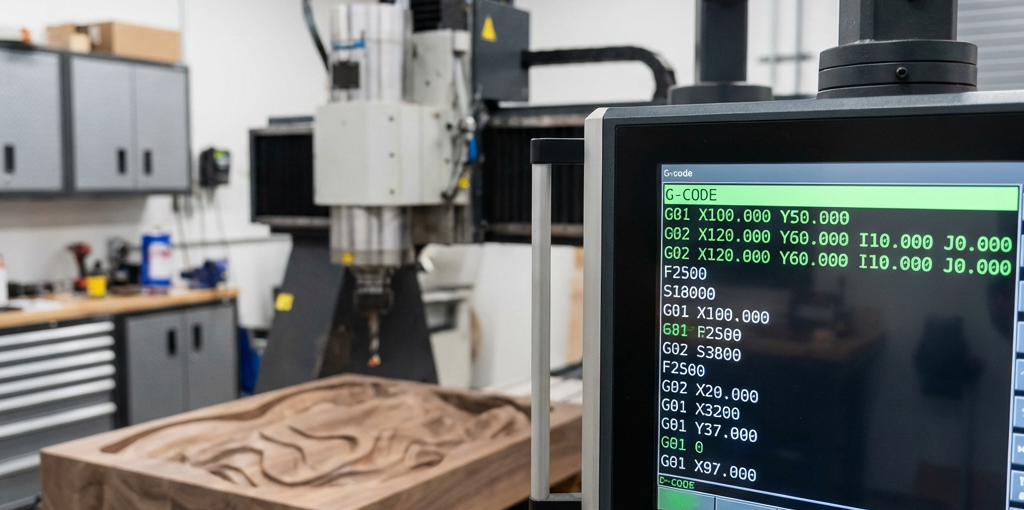
A typical line of G-Code looks like this: G01 X100 Y50 F500
- G01: The command (Linear Interpolation/Feed move).
- X100 Y50: The coordinates (Move to 100mm on X and 50mm on Y).
- F500: The feed rate (Move at 500mm per minute).
2. Common G-Code Commands You Should Know
G-Code is divided into “G” commands (preparatory functions) and “M” commands (miscellaneous functions).
Essential G-Commands
| Code | Function | Description |
|---|---|---|
| G00 | Rapid Position | Moves the tool at max speed to a position (not for cutting). |
| G01 | Linear Move | Moves in a straight line at a specified feed rate (for cutting). |
| G02/G03 | Circular Move | Moves in a clockwise or counter-clockwise arc. |
| G20/G21 | Units | Sets units to Inches (G20) or Millimeters (G21). |
| G28 | Home | Returns the machine to its reference (home) position. |
| G90/G91 | Distance Mode | Absolute (G90) or Incremental (G91) positioning. |
Essential M-Commands
| Code | Function | Description |
|---|---|---|
| M03 | Spindle On | Starts the spindle in a clockwise direction. |
| M05 | Spindle Stop | Turns off the spindle motor. |
| M06 | Tool Change | Signals the machine to change the tool bit. |
| M08/M09 | Coolant | Turns coolant/mist on (M08) or off (M09). |
| M30 | Program End | Ends the program and resets to the beginning. |
3. The Anatomy of a G-Code File
A standard G-Code file follows a specific structure:
- Header: Sets the units (G21), distance mode (G90), and spindle speed (S18000 M03).
- Start of Cut: The Z-axis moves down to the starting depth.
- The Path: Thousands of lines of G01, G02, and G03 commands defining the shape.
- Retract: The Z-axis moves up to a safe “clearance” height.
- Footer: Turns off the spindle (M05) and returns to home (G28).
4. Why You Should Learn to Read G-Code
Even if you never write G-Code from scratch, being able to read it offers several advantages:
- Troubleshooting: If the machine behaves unexpectedly, you can look at the code to see if the error is in the CAM settings.
- Manual Adjustments: You can quickly edit a feed rate or a start position directly on the controller without re-exporting from CAM.
- Safety: You can verify that the first few lines of a program won’t cause the spindle to dive straight into your workpiece.
Conclusion
G-Code may look like a jumble of letters and numbers at first, but it is a logical and powerful system. By learning the most common commands, you gain a deeper understanding of how your CNC machine operates, leading to more efficient workflows and fewer mistakes.
Ready to put your G-Code knowledge to the test? Make sure your machine is equipped with the best components. Browse our CNC parts and accessories at CNC Parts Market today!