How to Troubleshoot and Repair Common Stepper Motor Issues
Stepper motors are the workhorses of most CNC routers. They provide precise positioning by moving in fixed increments, or “steps.” While generally reliable, stepper motors can fail or exhibit strange behavior that can ruin a project and cause frustration.
In this guide, we’ll cover the most common stepper motor issues and how to troubleshoot and repair them.
Common Symptoms of Stepper Motor Problems
Before diving into the fix, you need to identify the symptom:
- Missed Steps: The machine’s physical position doesn’t match the software’s position.
- Grinding or Humming Noise: The motor makes noise but doesn’t move.
- Overheating: The motor is too hot to touch (over 80°C).
- Stalling: The motor stops moving mid-cut.
- Jerky Motion: The movement is not smooth.
1. Troubleshooting Missed Steps
Missed steps are usually caused by mechanical resistance or electrical interference.
Check Mechanical Binding
Power off the machine and manually turn the lead screws or move the axes. If you feel any “tight” spots, your rails may be misaligned or your lead screws may need lubrication.
Verify Acceleration and Speed Settings
If your acceleration or max speed is set too high in your CNC controller (like GRBL or Mach3), the motor may not have enough torque to keep up, leading to stalls and missed steps.
2. Dealing with Grinding and Stalling
If your motor is humming or grinding without moving, it’s often an electrical issue.
Check Wiring and Connections
A single loose wire in a 4-wire stepper motor will cause it to vibrate or stall. Check the connectors at the motor and the driver. Look for frayed wires or poor crimps.
Identify Motor Phases
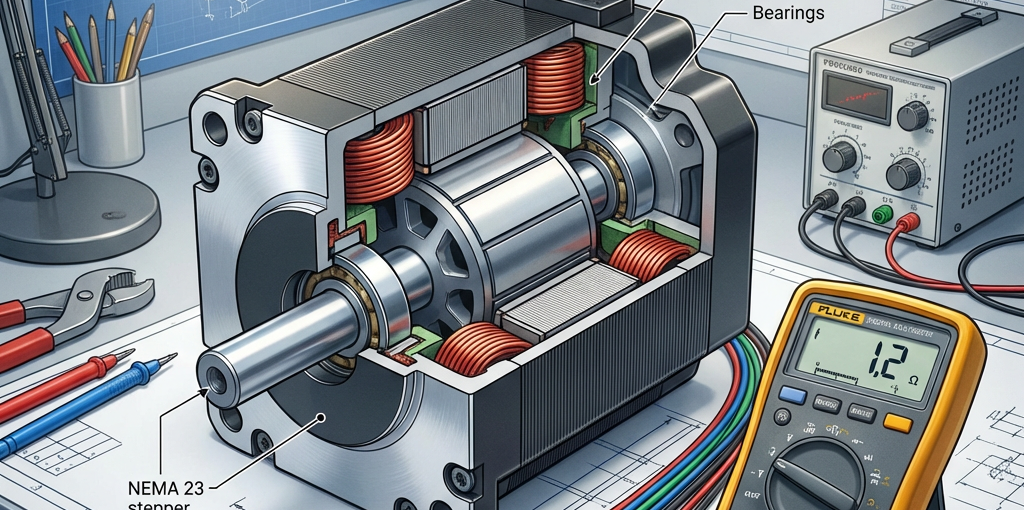
Use a multimeter to check the resistance between the pairs. For a standard 4-wire motor, you should have two pairs with low resistance (usually 1-5 ohms) and no continuity between the pairs. If you find a short or an open circuit, the motor internal windings may be damaged.
3. Managing Heat
It’s normal for stepper motors to get warm, but they shouldn’t be “burning” hot.
Adjust Driver Current
Most stepper drivers have dip switches or a potentiometer to set the current (Amps). If the current is set higher than the motor’s rating, it will overheat. Set the current to about 70-80% of the motor’s rated current for better longevity.
Improve Cooling
Ensure your electronics enclosure has adequate airflow. You can also add heat sinks to the back of the stepper motors if they are running in a hot environment.
4. Electrical Interference (EMI)
EMI can cause “ghost” steps or erratic behavior.
- Use Shielded Cable: Always use shielded, twisted-pair cables for stepper motor wiring.
- Proper Grounding: Ensure the shield is grounded at the controller end only to avoid ground loops.
- Separate Power Cables: Keep stepper wires away from high-voltage spindle power cables.
Conclusion
Most stepper motor “failures” are actually issues with wiring, settings, or mechanics. By systematically checking each component—from the software settings to the physical connections—you can get your CNC machine back to precision performance.
Need a replacement motor? Browse our high-torque NEMA 23 and NEMA 34 Stepper Motors at CNC Parts Market.