Troubleshooting Common Laser Cutting Issues: From Burning to Incomplete Cuts
Even with the most advanced laser machines, you’re bound to encounter cutting issues from time to time. Whether it’s an unexpected “burn” on the edges or a part that simply won’t drop out of the sheet, these problems can halt production and lead to wasted material.
In this guide, we’ll walk through the most common laser cutting problems and provide actionable solutions to get your machine back to peak performance.
1. The Issue: Incomplete Cuts (Dross at the Bottom)
When the laser doesn’t cut all the way through, it often leaves a “dross” or slag at the bottom of the cut.
Potential Causes & Solutions:
- Speed is Too High: If the laser moves faster than it can melt and blow out the material, it won’t penetrate fully. Solution: Reduce the cutting speed in 5-10% increments.
- Focus is Off: If the focal point is too high or too low, the energy density at the bottom of the sheet will be insufficient. Solution: Re-adjust the focal position.
- Gas Pressure is Too Low: The assist gas must “blow” the molten metal out of the kerf. Solution: Increase the assist gas pressure.
2. The Issue: Burning or Melting on the Corners
This is particularly common with thick materials or when cutting intricate details where the laser spends more time in a small area.
Potential Causes & Solutions:
- Heat Accumulation: The material absorbs too much heat because the laser is moving slowly around sharp corners. Solution: Use “Lead-ins” or implement power ramping (decreasing power as the machine slows down for a corner).
- Incorrect Gas Choice: Oxygen can cause excessive burning on thin corners. Solution: Switch to Nitrogen or Air for intricate designs if possible.
3. The Issue: Rough Cut Surface (Striations)
A high-quality laser cut should be relatively smooth. If you see deep vertical lines (striations), something is wrong.
Potential Causes & Solutions:
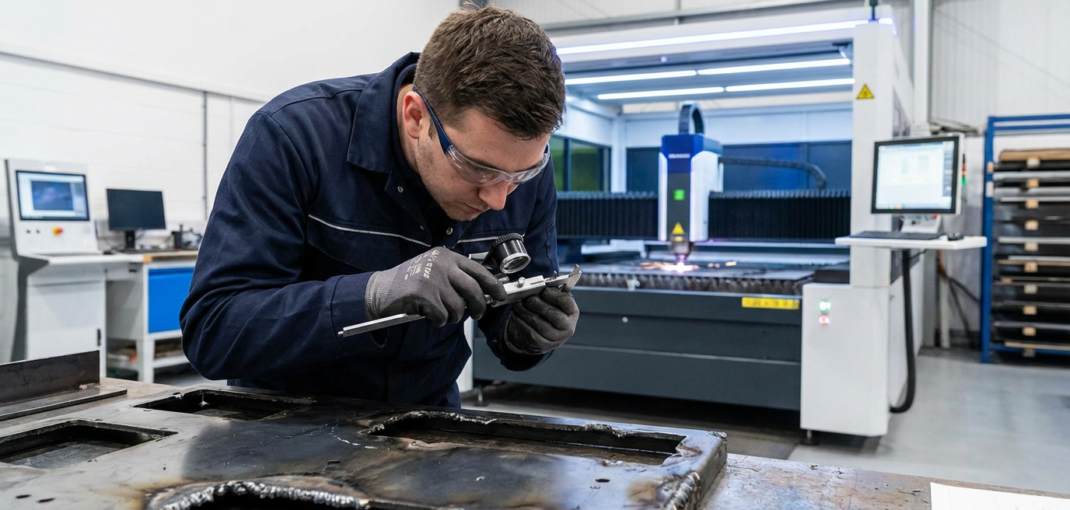
- Nozzle Alignment: If the laser beam isn’t perfectly centered in the nozzle, it can cause turbulence in the gas flow. Solution: Perform a tape test and re-center the nozzle.
- Contaminated Optics: A dirty lens or mirror can distort the beam profile. Solution: Inspect and clean your lenses using high-purity IPA.
- Vibration: If the machine frame or the material is vibrating, it will reflect in the cut quality. Solution: Ensure the material is securely clamped.
4. Troubleshooting Checklist
| Symptom | Check First | Secondary Check |
|---|---|---|
| Part won’t drop out | Speed | Gas Pressure |
| Top edge is rounded | Power too high | Focus too high |
| Heavy dross (hard) | Speed too low | Gas pressure too low |
| Heavy dross (soft) | Speed too high | Focus is off |
| Beam flickering | Laser source | Cooling system (Chiller) |
5. Maintenance: The Best Troubleshooting
Most laser cutting issues are caused by poor maintenance rather than software settings. Regularly checking your:
- Nozzle condition (looking for pits or deformations)
- Coolant levels and temperature
- Optical cleanliness
…will prevent 90% of common cutting problems.
Conclusion
Troubleshooting is part of the process of mastering industrial laser machines. By systematically checking your speed, focus, and gas settings, you can overcome almost any cutting challenge.
Need to replace a worn-out nozzle or a damaged lens? Browse our full selection of high-precision parts at CNC Parts Market.