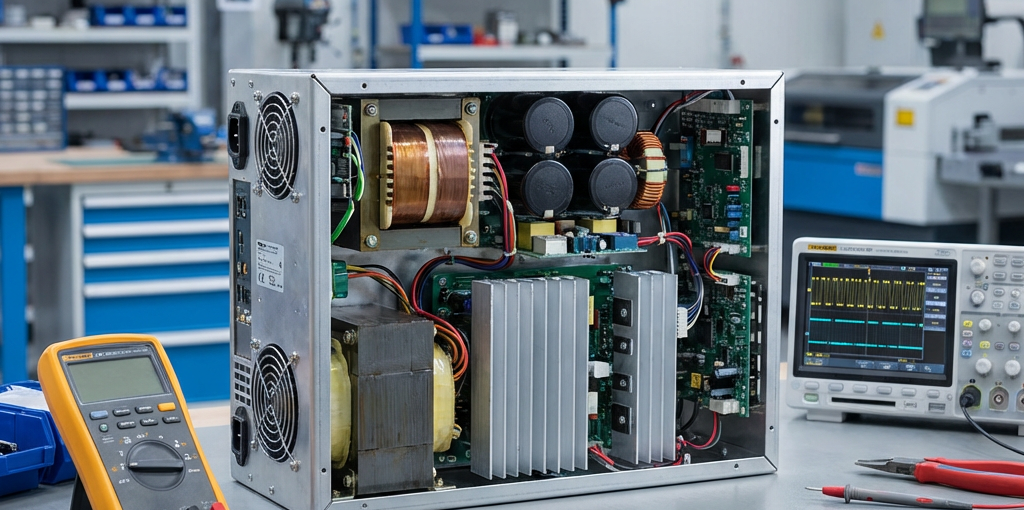
CO2 Laser Power Supply Troubleshooting: Signs of Failure and How to Test
The power supply is the heart of any CO2 laser machine. It converts standard electrical current into the high-voltage energy required to excite the CO2 gas mixture within the laser tube. When your laser machine starts underperforming or fails to fire, the power supply is often one of the first components to investigate. Troubleshooting a CO2 laser power supply requires a systematic approach to identify whether the issue lies with the supply itself, the laser tube, or the control system.
Common Signs of CO2 Laser Power Supply Failure
Before diving into tests, it is essential to recognize the symptoms of a failing power supply. Many of these signs can also indicate a failing laser tube, so identifying the specific behavior is key.
- Laser Not Firing: The most obvious sign. If the machine moves as if it is cutting but no laser beam is produced, the power supply may not be outputting the necessary voltage.
- Weak or Inconsistent Beam: If your cutting depth has significantly decreased or the beam flickers during operation, the power supply might be struggling to maintain a stable current.
- Arcing Sounds: High-voltage arcing inside the power supply or near the laser tube connections is a major red flag. This often sounds like a loud snapping or buzzing and can be accompanied by a distinct ozone smell.
- Error Indicators on the PSU: Most modern CO2 laser power supplies have built-in LEDs. A red “Fault” or “Error” light usually indicates an internal failure or a protection circuit being triggered.
- Blown Fuses: If the machine’s main fuse or the PSU’s internal fuse blows repeatedly, there is likely a short circuit within the power supply unit.
Safety First: High Voltage Warning
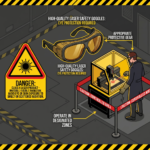
WARNING: CO2 laser power supplies generate extremely high voltages (up to 40,000V or more). This can be lethal even after the machine is turned off due to stored energy in capacitors. Always:
- Disconnect the power before touching any high-voltage components.
- Use insulated tools.
- Never work alone when testing live high-voltage circuits.
- Ensure the machine is properly grounded.
How to Test Your CO2 Laser Power Supply
Follow these steps to determine if your power supply is functioning correctly.
1. The “Test” Button Method
Most CO2 laser power supplies have a physical “Test” or “Pulse” button on the casing.
- Procedure: While the machine is on, press this button briefly.
- Result: If the laser tube fires a beam, the power supply and the tube are likely working. The problem may be in the controller (DSP), the wiring between the controller and PSU, or the software settings.
- If it doesn’t fire: The issue is narrowed down to the PSU or the tube.
2. Checking the Status LEDs
Look at the LEDs on the power supply unit while attempting to fire the laser.
- Power LED (Green): Should be on when the machine has power.
- Laser/Signal LED (Yellow/Red): Should light up when the controller sends a “Fire” signal. If this lights up but the laser doesn’t fire, the PSU is receiving the signal but failing to output power.
3. Measuring the Low-Voltage Control Signals
Use a multimeter to check the signals coming from the controller to the PSU (typically on the 6-pin connector).
- L-ON (Laser On): Measures the signal to fire the laser.
- PWM/IN: Measures the power level signal (0-5V or 0-24V depending on the system).
If these signals are correct but the PSU doesn’t respond, the PSU is likely faulty.
4. Using a High-Voltage Milliampere (mA) Meter
The most accurate way to test the PSU’s output is by observing the mA meter on your machine’s control panel.
- Healthy PSU: The mA reading should be steady and match your software power settings.
- Failing PSU: The needle may jump erratically, or stay at zero despite a high power setting.
Conclusion
Troubleshooting a CO2 laser power supply is a process of elimination. By checking for physical signs of failure and using the built-in test features, you can quickly determine if a replacement is necessary. If you determine the power supply has failed, always ensure you replace it with a unit that matches the wattage and specifications of your laser tube for optimal performance and safety.
For high-quality CO2 laser power supplies and other CNC components, visit CNC Parts Market.